
Who it’s for
People who make video as part of their work rather than for a channel, and YouTube creators who make the same kind of video.
- Technical explainers
- Engineers and developer advocates walking through a system, an incident or an API, with diagrams and code on screen while they talk.
- Product walkthroughs
- Product and customer teams showing a feature from a narrated screen recording, cut between the demo and the person explaining it.
- Training and onboarding
- Teams turning internal know-how into videos people can watch later, from takes recorded whenever there was time.
What you bring
- Narrated screen recordings. Talk over the demo, the code or the slides as you record them.
- Talking-head takes. Several attempts at the same part are fine; CoProd keeps one take of each line and drops the retakes.
- Optional B-roll. Silent screen recordings and product shots go in as cutaways, or as an inset beside you.
- A separate microphone, if you used one. Attach its file to the camera clip with an offset you set.
Footage mode handles up to 60,000 transcript words per project, and needs complete word timings, which local transcription provides.
What you get
A 16:9 video at 1080p and 30 fps, as an H.264 MP4 on your Mac, with technical graphics placed where your narration needs them.
- Systems
- Architecture diagrams, request flows and system walkthroughs that build up across several scenes.
- Code
- Code reveals, code diffs, terminal sessions and a code panel beside you.
- Numbers
- Metric charts and a metric spotlight for the one figure that matters.
- Structure
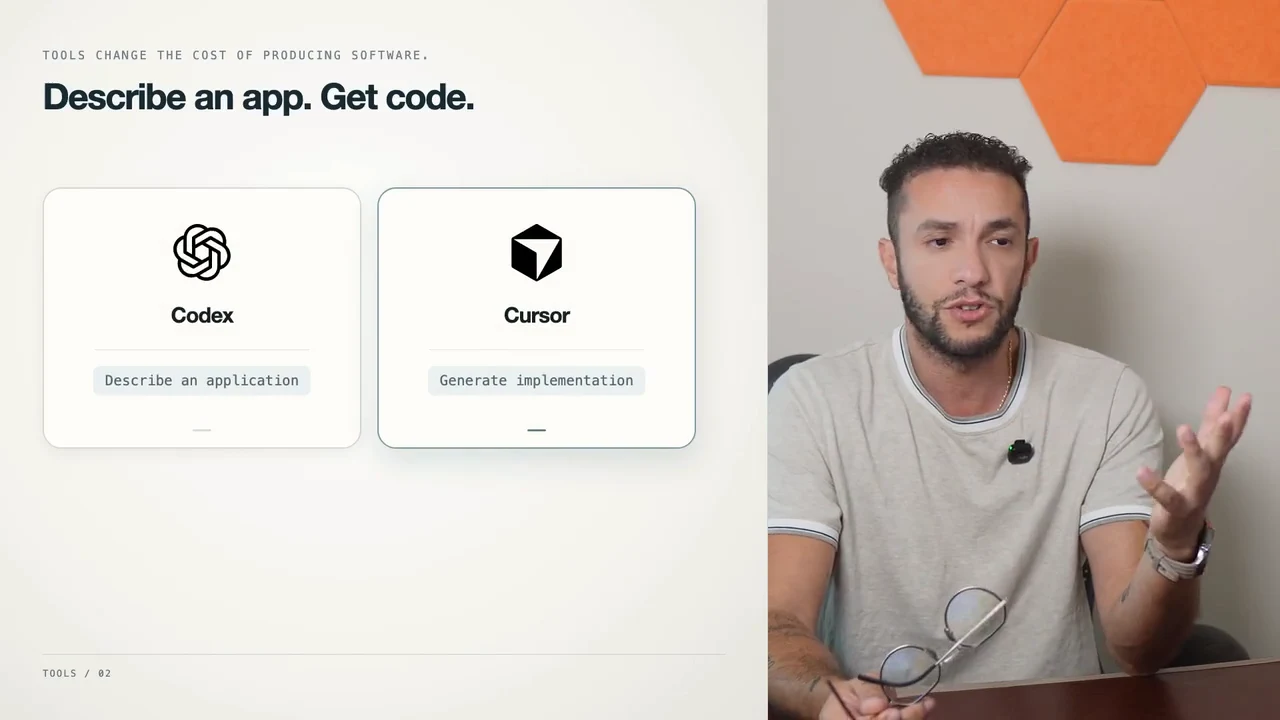
- Chapter titles, callouts, quotes, step sequences, comparison boards and tool cards with your own logos.
Cuts and punch-ins hide the retakes, your B-roll covers jump cuts where a matching shot exists, music ducks under your voice, and one or two burned-in captions per scene underline the key lines. Open in editor hands the same cut to DaVinci Resolve or Final Cut Pro as an editable timeline on your original camera files.
One real example: the creator’s own engineering explainer was made from an approved script rather than raw footage. Its 8 recordings totalling 35:03 became a 13:41 cut with architecture diagrams, code and system walkthroughs. These are project facts, not a benchmark. Watch the raw take and the edit, or try the free silence toolon one of your own recordings first.
How a run goes
Drop in your recordings
Choose New Project, then Start from footage, and drop in your screen recordings, camera takes and any extra clips together. MOV, MP4, M4V, MKV, WebM, AVI and MXF files work, and several retakes of the same part are fine.
Let CoProd sort talking footage and B-roll
A clip with your voice on it, including a screen recording you talk over, becomes talking footage. A clip with no sound, or only a few words, becomes B-roll. Right-click a clip to move it to the other group.
Transcribe on your Mac
Local Whisper transcribes every take with word timings on your Mac by default, in any of 40 spoken languages. Cloud transcription with your own key is optional.
Get the story from what you said
Using the writing model you configure, the Story Editor selects lines you actually said and drops retakes, false starts and dead air. Hands-off is the default: the Producer checks the story and carries on; with the offline writer, the story always waits for you. Tick Check the story before editing to approve it yourself.
Plan the edit and the graphics
The Director plans cuts, punch-ins, diagrams, code and charts, and places your B-roll where the narration talks about it. Every plan is validated before anything renders, and graphics come from checked-in templates.
Review the cut
The Producer builds the rough cut, requires a clean quality check and renders the video. It stops with a list of findings when a check fails.
Take the file, or finish in your editor
Use Show in Finder for the MP4, Open in editor for a DaVinci Resolve or Final Cut Pro timeline, or approve a private YouTube upload. Publishing is always your decision.
Prefer to drive? Choose Supervised and run each step yourself. The production harness page explains what the agents may change and what the Producer checks.
What it doesn’t do
These are not in CoProd Premium 2026.54.0. Use the tool beside each one instead.
| Not in CoProd | Use instead |
|---|---|
| It doesn’t record your screen. | Record with Shift-Command-5 or a screen recorder such as ScreenFlow or Cap, then drop the file in. |
| No podcasts or audio-only recordings. | Every input must be a video file. For an audio podcast, use a podcast editor such as Descript or Riverside. |
| No multicam, interviews or automatic sync between cameras. | A second camera angle counts as another take. Cut multicam in DaVinci Resolve or Final Cut Pro. |
| No webcam bubble over a full-screen recording, and no zoom or cursor effects on it. | CoProd can inset a screen recording beside you, not you over it. Record it with a tool built for that, such as Screen Studio. |
| No lower thirds, end screens or intro bumpers. | Add them in your editor after Open in editor. |
| No vertical or square video. | Output is 16:9 at 1080p and 30 fps. Reframe for Shorts or Reels in another editor. |
| No subtitle files (SRT or VTT) and no translation. | Captions are burned-in emphasis lines, one or two per scene. Make full subtitles in your editor or a captioning tool. |
| No Premiere Pro export. | Open in editor targets DaVinci Resolve and Final Cut Pro. The free silence tool on this site can export a Premiere timeline of its own cuts. |
| No removal of single filler words mid-sentence, and no noise reduction. | Retakes, false starts and dead air are cut. Clean up words and audio in Descript or your editor. |
What you need
| Check | Needs | Level |
|---|---|---|
| macOS | 14 Sonoma or later | Required |
| Processor | Apple Silicon; the Premium installer is built for it | Required |
| FFmpeg and ffprobe | With libx264 and libmp3lame, or Homebrew so the app’s Production setup can install them | Required |
| Local Whisper | whisper-cli and its speech model, about 3 GB; Production setup installs both with Homebrew, and cloud transcription with your own key also works | Recommended |
| Free disk space | 10 GB or more for the speech model, footage proxies and renders | Recommended |
| Memory | 32 GB or more, only for local MOSS sound-effect generation | Optional |
| Final Cut Pro or DaVinci Resolve | Either one, to finish Premium’s editable project exports | Optional |
Story selection needs a writing model you configure, and AI direction, B-roll matching and visual checks need an OpenAI key. Paid AI usage is billed separately by those providers. Premium bundles its own runtime, so Node.js, Bun, Xcode and Python are not needed.
What it costs
Premium is a one-time purchase (US$50 for the first 50 buyers, then US$149 for one Mac, US$199 for 3 Macs and US$249 for 5) with two years of updates, for one creator on 1, 3 or 5 Macs. The free edition is source-available under Elastic License 2.0: you build it from source, it starts from an approved script, and its renders carry a watermark. Compare the editions.
Questions about technical videos in CoProd
Do I need a YouTube channel?
No. CoProd needs no YouTube account. Take the finished MP4 with Show in Finder, or finish it in your editor. On autonomous projects the app still drafts a title, description and two thumbnails, using your AI keys at a cost billed separately, and its creator profile asks for a channel name; you can ignore both.
Can I start from slides?
CoProd doesn’t import slide decks. Record yourself presenting the slides with Shift-Command-5, talking as you go, then drop that recording in. A screen recording you talk over counts as talking footage, so your words drive the story.
What leaves my Mac?
Your recording files, project library and renders stay on your Mac, where local transcription and rendering run. The AI tasks you configure send what they need to the providers you choose, with your own keys: transcript text for the story and the edit plan, still frames for describing B-roll and checking visuals, a cutout of your face for AI-made thumbnails, and your audio if you choose cloud transcription instead of local Whisper. Paid AI usage is billed separately by those providers.
Can I finish in DaVinci Resolve or Final Cut Pro?
Yes. Open in editor exports a 1080p timeline built on your original camera files, with every element as a separate clip; graphics and captions arrive as rendered clips, not editable titles. The free DaVinci Resolve imports it with File, Import, Timeline. With Resolve Studio and scripting enabled, CoProd can also render finishing presets such as ProRes 422 HQ.
Which graphics can it add?
Architecture diagrams, request flows, system walkthroughs, code reveals, code diffs, terminal sessions, metric charts, callouts, quotes and chapter titles, plus layouts that keep you on screen beside comparisons, steps, keywords, code and tool cards. Your three brand colors, font and logos come from your creator profile.
What do the AI agents need?
Story selection needs a writing model, OpenAI or Z.ai, and AI direction, B-roll matching and visual checks need an OpenAI key, all your own and billed separately. Without keys, the offline Director is clearly labelled, and with the offline writer the story always waits for you: it keeps your recording order, with retakes removed, until you approve it.
Is CoProd Premium a subscription?
No. Premium is a one-time purchase: US$149 for one Mac, US$199 for 3 Macs and US$249 for 5. For the first 50 buyers, the 1-Mac checkout brings it to US$50. It includes two years of updates for one creator on 1, 3 or 5 Macs, and you keep using your last eligible version afterwards.
Is the free edition enough for this?
The free edition is source-available and starts from an approved script: a narrated screen recording works as a take cut against that script, and its renders carry a watermark. Starting from raw footage, B-roll clips, layouts that keep you beside graphics and the editable Final Cut Pro and DaVinci Resolve exports are Premium.
Keep reading
Product details checked against CoProd Premium 2026.54.0 on .